
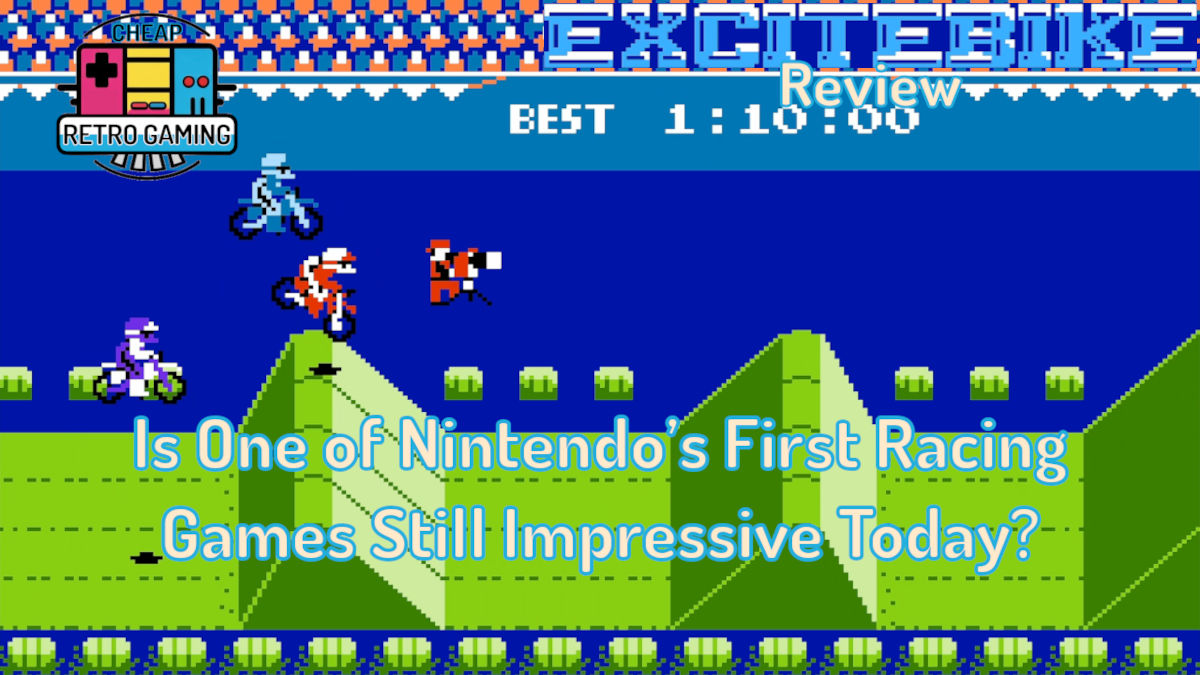
Of the many early NES games there are at least a few common favorites. Super Mario Bros. and Duck Hunt are both fondly remembered, and were enjoyed by many back when I was a kid. Another that was a big hit was the first racing game for the system, Excitebike. How is it today? Or does it crash on one of the obstacles?
Gameplay

Upon booting it up we are greeted with a simple title screen with Selection A and B as choices, and also a curious Design mode. The first two allow you to choose one of five tracks and compete against the clock in a time-trial challenge (Selection A), or take on the same courses, but now with other racers on the track (Selection B).
Whichever mode you pick, you play as a motocross racer seeking to make it to the end of a two-lap race in third place or better. Initially, this is done with an easier preliminary race, with a slightly modified version of the track being faced in a second Excitebike race. If you’re able to do the latter, you move on to the next main race without having to compete in the preliminary version. All the while you press up or down on the d-pad to change between one of four lanes on the course and hold down the A button to accelerate. You can also press the B button to use a turbo boost that is available for a limited period of time. If it’s used too much, your engine overheats and you have to pull over to the side and wait for it to cool down.
After just a few laps, it’s obvious that one of the greatest things about Excitebike is its excellent control. Whether you go up, or down, or across the screen to the right, your bike is always responsive and easy to steer. There’s even a good variety to how you can navigate the different challenges you face. Tapping left on the d-pad will cause you to pop a wheelie, which is necessary to safely go over some obstacles. When taking off from a ramp, you can hold the d-pad to the right to cause your bike to fly to the right quicker than normal. Landing at an angle with both wheels touching the ground allows you to keep going without losing momentum. My favorite strategy is to make your motorcross bike to bounce against some ramps at an angle and then hold the d-pad to the right to go fast while in the air. To see it in action, you can watch this longplay of the game by NintendoComplete. Be aware though, this is extremely risky! Yet, with that challenge also comes the great satisfaction of a quick lap time. Becoming (somewhat) proficient at this was a big part of me being able to overcome some of the game’s later lap time requirements. Having such a diverse way of controlling your rider highlights the wide variety of things you can do as you play. Moving around the course is more nuanced than one may expect from such an early game for the system.
Of course, at some point you’ll wreck your motorbike, but even that is handled well. Depending on how you crash, you may roll up or down the different ramps as you wait for your character to stop at the bottom. Once that happens, you automatically move up to the top of the course and then need to smash the buttons to run back to your vehicle. The game responds well to each press, and before too long, you’ll be back at it. While these moments can be frustrating, I never felt like the wrecks I faced were cheap. Nor were they due to bad hit detection. If I crashed, I always knew it was my fault.
As I’ve already stated, the purpose of the game is to make it through two laps of a course and to at least come in third place by the end to go on to the next. An unusual aspect related to this is that Excitebike never indicates which place you are in as you race. All that really matters is whether you beat the third-place time or not. While playing in Selection B mode, the other riders just serve as moving obstacles. Sure, they ride like they are in a race and trying to get to the end, but what really matters is completing the course as quickly as possible. As such, Excitebike isn’t a traditional racing game. In some ways it feels more like a riding game where you are doing time trials against other adversaries at the same time.
Graphics

Beyond the gameplay, another area that stands out is the game’s graphics. Of course, compared to later NES titles, they are not impressive. Yet, in the context of an early release, with the majority of games not featuring a scrolling play area, the way Excitebike moved gave players a glimpse of what the system would later do. To appreciate this, it’s helpful to remember that at the game’s original release on November 30, 1984 in Japan, almost no game scrolled from left to right. Mappy did to a limited extent, but it took place in a smaller area and moved at a slower speed (Review). More often than not, games took place on a single screen with almost no scrolling. Some examples include Galaxian (Review), Duck Hunt, and Mario Bros (Review). In fact, according to Wikipedia, the game engine that allowed for smooth scrolling in Excitebike was developed by the legendary Shigeru Miyamoto and his team for this title. It was later used in Super Mario Bros.
That’s one reason why the game looks so good! It’s smooth as butter!
And not only in the scrolling well done, but so is the animation. Changing lanes is quick and smooth, and even doing cartwheels while rolling down a ramp looks good, if a bit silly. It doesn’t appear choppy at all. Running back to your bike is also charming and fun to look at. When you’re doing your regular racing, there’s some good sensitivity in the angle you can point your motorcycle while riding as well. Thus, allowing for the control of your character to be nuanced. Moreover, due to the large size of the sprites, it’s easy to tell if you’re going to land well, or not, while approaching a hazard.
Even small aspects to the graphics are enjoyable. For instance, the way your bike shakes as you ride down the course is believable and works well with the sound effects. At certain points you’ll also see extra characters in the background. One of my favorites is the camera man. Once you pass him, his image changes to indicate that he is still watching you. A few other characters do the same. Furthermore, at certain points you can see the best time shown on the back wall of the track so you’ll know the time to beat. The necessary 3rd place time is also found at the bottom left of the status bar. Near the same part of the screen is the indicator for your engine’s temperature and the current elapsed time in the race.
None of it’s advanced, but everything works well for its intended purpose.
The game scrolls smoothly, the animation is nice, the colors are OK without being garish looking, and it all complements the gameplay design. Mainly due to its smooth nature, the graphics of Excitebike are great!
Music and Sound Effects

As is typical of the time that the game was originally released (November 1984), we can’t expect it to have an extensive soundtrack. Upon first playing the game, that expectation is confirmed.
While racing, the game has literally no music. Instead, you get to experience a variety of sound effects that tell you a lot about how your race is going. There’s a sound effect for,
- Your regular engine noise,
- Using the turbo button,
- Coming close to overheating your engine,
- Landing on the ground,
- Crashing another racer, and more.
Admittedly, it could be said that the lack of music during races is unfortunate, but I consider it a good design decision. I never noticed any sound effects dropping out, even during heated racing moments. Plus, all the sounds really help to keep things lively (along with the animation). Since you’re constantly hearing your engine, the changing of lanes, and crashing of bikes, it’s always easy to know what is going on. I’d even go on to say that the sound effects, graphics, and control work remarkably well together so as to provide a cohesive gaming experience for the player. The excitement of what’s happening is conveyed on multiple levels and the manner in which they accompany each other is truly impressive.

Oh, and it’s another minor thing, but the way the crowd reacts to you wrecking is kind of cool. The sound they make fits with the rest of the game, of course. I think it is worth not having music during regular gameplay so that the sound effects are more numerous and don’t cut out.
When you do end up hearing music, the pieces tend to be short compositions of fanfare for winning a race or beginning your first challenge on a course. All of these are enjoyable little pieces, along with the title screen song. While they’re short, I expect that many players will have feelings of nostalgia upon hearing them again.
Design Mode

Moving past the main gameplay modes, we now come to Excitebike’s most surprising feature. That being a Design mode where you can make your own tracks. Here you move your little racer guy down at the bottom of the screen and select from a series of letters. Each represent a different hurdle or hazard that you can place on the course. Some include dirt hazards, ramps, sections where two of the four lanes are not paved, the chevrons that cool down your engine, and more.
Although the game’s original instructions provide illustrations of what each letter represents, the game doesn’t tell you what each one means until you’ve put the piece down. This means it can be a little slow in making your track because the game has to draw it before you can place it on the course. Then if you don’t like what you’ve picked, you have to change it before going further. Speaking of which, I never found an easy way to go back to a previous place in my track while in this mode. I could only do that by,
- Finishing the course with the ending piece,
- Going out of the editor,
- And then going back into it again.
Doing so takes you back to the beginning of your course and allows you to make changes to earlier parts. You can place approximately 50 parts down before the game runs out of memory and you have to finish your track.
Once that’s complete, you can race it like a time trial in Selection A or with other racers in Selection B. Both play identically to their normal game modes. However, one thing to note is that your homemade track defaults to one lap. To have 2 laps you have to change that setting down at the bottom right of the screen in Design mode. This is a minor inconvenience, but I am really glad you can change the number of laps up to 9. This means you can have epic racing challenges with you and your friends that aren’t possible in the normal game!
Not that the game has two-player simultaneous play, or even a way to save your track to the cart (in the USA at least). But this mode is still great! I threw together a course in about 10 minutes, and played it over half a dozen times before stopping! I grew to like what I had made, and it gave me fond memories of what my friends and I had done back in our more formative years.
The diversity of the different things you can put down is impressive for such an early game, and again, the fact that the mode even exists is fabulous!
Final Thoughts

And as I’ve been trying to convey throughout this review, I think Excitebike is a great game all around, and an excellent release for Nintendo’s 8-bit systems. It was really impressive compared to its contemporaries in Japan, and a high-quality launch title in North America for the NES as well.
Some of my biggest takeaways about it are just how smooth the game is, the cohesive nature of all its major parts, and the fun that can be had in Design mode. Even parts that could be a problem, such as the lack of music during gameplay and a sometimes-difficult menu system while designing don’t seriously negatively impact the game for me. Especially considering the years in which it was released.
As such, I can’t help but give Excitebike a Very Positive rating, and I’m thrilled to be able to do so. I look forward to playing other famous NES games in the future!
Review Overview

Summary: This review was basically a gushfest! I like almost everything about Excitebike, and several of its design elements are very impressive. The smooth scrolling, quality animation, and great control all work together to make a great game!
Title: Excitebike (Price Charting)
Genre: Side-view Racing
Year Released: 1984 for the Nintendo Famicom, and 1985 for the NES in North America
Developer: Nintendo
Available On: NES, NES Classic Edition, Excitebike 64 for the N64, Animal Crossing on the Gamecube, and the Gameboy Advance. A more complete list with alternate versions can be found on Wikipedia.
Price Paid: $2.22, or $66.45 for the NES Classic Edition
Remember, we can have different opinions about the games we play. If you like something more (or less) than I do, both of our perspectives are valid. Please see my Review Rating Scale to know more of how I rate games.
Leave a Reply