
One of the first Sega Genesis games I reviewed was Super Thunder Blade (Review), which was a sequel to a super-scalar arcade game from SEGA. It was one of two launch games for the SEGA Mega Drive when it launched in Japan on October 29, 1988. The other was Space Harrier II. Both of these were eventually released in the USA.
Although I’m looking forward to reviewing Space Harrier II, I’d like to review a port of the original game first. That being Space Harrier for the PC Engine. Surprisingly, it was released a couple months after its sequel came out for the SEGA Mega Drive. The title even reached North American shores in February 1990 for the TurboGrafx-16!
First Impressions and Graphics

Upon starting, the familiar opening theme plays. It sounds nice, if not very strong. The melody is present in an easily recognizable fashion, though. The title screen also prominently features two of the most well-known enemies from the game. However, they are a bit small compared to the arcade release. This was especially noticeable in comparison with the title screen of Altered Beast (Review) for the SEGA Mega Drive, which came out a couple weeks prior.
Yet, at Space Harrier title screen, the color depth was pretty good! There are just two big omissions in relation to it.
The first is that there are no trees on the left side. The other is that the title character is absent. He would normally be sitting on the shoulder of the giant robot and waving to the player. These make the game seem to be lacking something. Going to the options menu, the only choice is whether you want to use inverted controls, or not. Again, kind of barren.
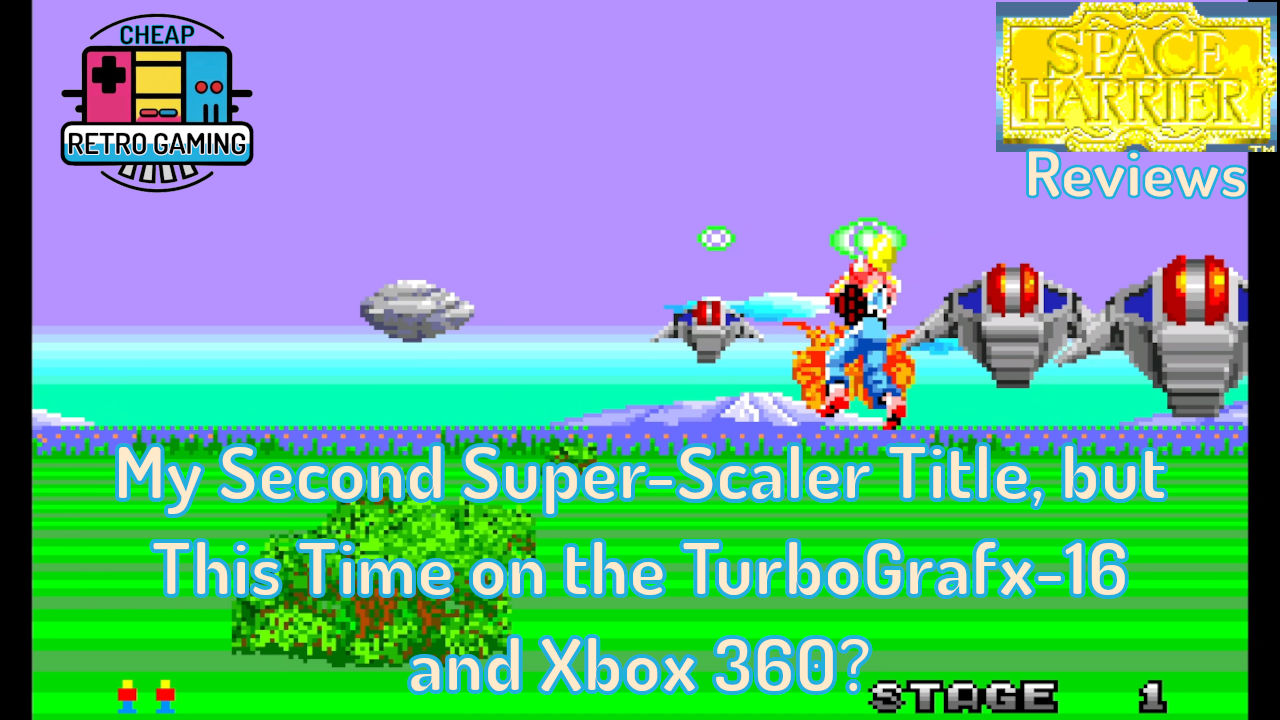
However, once the gameplay began, the first thing that was striking was just how well the sprites moved! Especially considering that the TurboGrafx-16 didn’t have any hardware scaling. Of course, this wasn’t surprising since the console was originally released in 1987, only two years after the arcade title’s release.

Still, your character moves around the screen at a brisk pace, and the scaling was pretty smooth. Impressively so! With the game’s good color depth, the only disappointing aspect of the graphics were the size of the sprites. Your main character wasn’t very large, and the enemies and hazards were quite pixelated when they reached the end of the screen. Despite those shortcomings, the game showcased a good deal of sprites on screen at once, and there was also a ceiling on some levels which was similar to the arcade original. Besides the smaller sprite size, the only other graphical fault I found was the high amount of flicker during bonus stages. At least it wasn’t so bad during the normal levels.
Controls and Difficulty

As I shared earlier, Space Harrier on the PC-Engine/TurboGrafx-16 has almost no options. You can just choose to use reversed controls, or not. The control is straight forward and easy to grasp. You simply use your d-pad to move your character around the screen as needed, and press a button to fire. There are no bombs or secondary attacks to use. Nor are there any power ups.
The only slight problem I have in this area is that there is no built-in turbo-fire. However, this isn’t a problem for most players. After all, the TurboGrafx-16 had turbo switches built into the controller, as did the CoreGrafx in Japan. The original PC-Engine also had a Turbo Pad available as well. The main reason why I mention this is that I played the game on a PC-Engine Mini, which doesn’t have turbo switches. If you don’t have turbo available on your controller, be forewarned that this game will be extremely difficult to complete. After playing for about half an hour my hands would start cramping up.

Speaking of difficulty in general, Space Harrier is a challenging game! I’m able to complete the first 5 stages, but once I make it to stage 6 or 7, death comes fast and furious. This is compounded by the game’s lack of a normal continue feature. Although, I’m of two minds about this. In one case, having unlimited continues makes the game easily beatable. This can cheapen its value. On the other hand, no continues has the consequence of making the player replay early levels, only to come up against a seemingly impenetrable wall and being destroyed by it repeatedly.
Yet, I think this port of Space Harrier has a good compromise. If you look online, some may say that the game has no continues. This is not true. Actually, it has a limited continue function that is available by entering “CNT” at the high score after beating stage 5. If you do that, you can continue at stage 6 after being defeated. According to GameFAQs, you can do the same if you make it to stage 13 as well.
Putting all this together, Space Harrier on the TurboGrafx-16 is a challenging game with good controls and a limited continue option that makes the game more manageable to learn and overcome. it will also not be beaten too quickly for most players.
Music and Sound Effects

Speaking of difficulty, one good thing about it is that even though you may be playing some stages repeatedly, at least they will sound good while you do so! In fact, one aspect that I enjoy about Space Harrier is its music and sound design. The former has a number of familiar tunes that are enjoyable to listen to. These include the title theme and the first stage track, among others.
Additionally, when I first played this I was happy to hear the familiar phrase, “Welcome to the Fantasy Zone!” upon start up. It was quite clear, considering the hardware. Other common statements are also present, such as your character’s scream after striking a hazard and the “Get Ready!” once you get going again. Admittedly, all of these are a bit scratchy, but they still sound good.
For the music itself, while I liked the compositions, they are a bit “thin.” I don’t have a problem with it, but I point it out because some may notice that aspect. Especially when compared with other systems from the time period (especially the SEGA Genesis).
Earlier in my review I mentioned the game’s sound design. This was due to sound effects that are specific to the various enemies you face. It uses sound effects as cues to let you know when certain foes are appearing on the screen. One of these sounds like farts to me, while another is rather metallic and is used when the three black orbs come against you in stage one. These effects are helpful in assisting the player in learning enemy patterns and what to expect as the game progresses.
To me, it all comes together in a great combination of music and sound effects that work well. They’re actually some of my favorite parts about the title and give it a unique identity.
Final Thoughts

As I reflect on Space Harrier, I can’t help but be impressed by it. When I first saw it and Fantasy Zone included in the game lineup for the PC-Engine Mini, I wasn’t very excited about either of them. I mean, both have been ported and released a lot by SEGA over the last few decades.
Yet, once I played the game, I was impressed by its speed, smooth control, and quality sound design. Although I haven’t made my way through the game all the way, deftly avoiding hazards and enemy attacks is addictive. There’s more to it than just circling around the screen repeatedly while fighting a boss.
I had more fun with this one than Super Thunder Blade (Review), and I hope Space Harrier II on the SEGA Genesis is good as well!
Review Overview

Summary: An impressive port of a classic arcade super scaler! Despite not having hardware scaling, the game moves at a good clip with nice sound design and effective controls.
Title: Space Harrier (Wikipedia)
Genre: Rail Shooter
Year Released: 1985 in the arcade, and 1988 on the PC-Engine and 1990 on the TurboGrafx-16
Developer: SEGA
Available On: PC-Engine (Price Charting), TurboGrafx-16 (Price Charting), and the various mini consoles for those systems (Wikipedia). The game was also ported to a myriad of systems (Listing showing dozens of versions).
Price Paid: $2.30, or $123.85 for a PC-Engine Mini
Remember, we can have different opinions about the games we play. If you like something more (or less) than I do, both of our perspectives are valid.
Space Harrier the Arcade Game on Xbox 360
Having shared my opinion on the above console port of Space Harrier, I now turn to the Xbox 360 version. It was released as a bonus game on Sonic’s Ultimate Genesis Collection (Wikipedia) for the system, along with on the PlayStation 3. Remarkably, this collection is extremely cheap as of 2026 (Price Charting), and tends to be readily available on eBay and other video game marketplaces. As is said at GameFAQs, the game is unlocked after earning 1,500,000 points in the first level of Super Thunder Blade. It’s easier to do than it sounds, by the way.
Game Options

After going through the bonus menu, various options for the game can be found. These include game difficulty, the number of points needed for an extra life, and more. Unfortunately, an option for inverting the controls is not available. Nor is a useful turbo fire function. These two omissions are unfortunate and hamper the game. To make matters worse, the lack of turbo fire is not as easily overcome as in the port discussed above (simply because turbo fire wasn’t as common on the Xbox 360 or PS3).
Just to be clear, if you hold down one of the shoot buttons you do fire multiple times. Yet, it’s only a couple of shots a second, thereby making it effectively worthless.
Graphics

Still, the game’s graphics stand out from the very beginning. The title screen is quite detailed with the inclusion of your character waving at you being a nice touch. Once I started the game, I was immediately impressed by the game’s resolution and high speed. For the former, even objects that are far away look significantly better than on the TurboGrafx-16. The improvement is even more stark once they become larger.

Beyond that, the speed is really great. It feels like you are flying at a 100 miles per hour! Stuff is whizzing by you all the time! The conversion to the 360 really shows how great the arcade game was. In fact, playing this version makes me want to play it at a true arcade cabinet.
Another standout aspect is just how smooth bullets fly around the screen. Both from you, and the various enemies. This is especially noticeable with the boss encounters. The rate of fire and how they spread around the screen is more dynamic and interesting than on the PC-Engine version.
Music and Sound Effects

Unfortunately, it’s not all perfect. The voice samples sound weird in this collection. Specifically, they seem to be off pitch. This is noticeable even at the beginning with the famous “Welcome to the Fantasy Zone!” It’s especially irritating with the “Get Ready!” and “You’re Doing Great!” statements that are said on a regular basis. At times it sounds like the voice samples are being said by a girl instead of a guy. That tells you just how inaccurate they are!
Controls and Difficulty

To make matters worse, the game is quite difficult to play on an analog stick. The reason being that your character automatically moves back to center when you’re not touching the controller. At first I thought something was wrong, but upon further research, I discovered that this is based on replicating how the control was set up in the original arcade cabinet. Since you controlled your character with a flight stick that you always held in your hand (and applied pressure), it wasn’t a problem.
Yet, in this console emulation, there are times when you may let go of the analog stick. When you do so, your character returns to the center of the screen. As such, you always need to apply pressure to the controller so that you move where you want to, or just stay where you’re at. Although I appreciate the accuracy of the controls, I wish there was an option to turn off this aspect. Along with adding the ability to invert the controls and using turbo fire.

Because of these reasons, I never truly became comfortable playing this version. It also made it more difficult than the TurboGrafx-16 port, in some sense.
I end that last sentence with a caveat because you can just add quarters to the game until you beat it! That’s what I did in this version. So, even though I just credit fed my way to victory, it was much more difficult to control than the home version. As such, I continually smashed into hazards, enemies, and bullets in the second half of the game. At one point I was dying every 2 or 3 seconds, which just sucked the fun out it.
Sure, it was exhilarating to survive an onslaught of hazards and enemies for about 6 seconds later in the game, but such thrills were often short lived.
Final Thoughts

Because of having such serious issues with the controls, and the unusual pitch for the voices in the game, I honestly had less fun with this version than on the TurboGrafx-16. Not that it is a worse game than the port. The graphics, speed, and music were all superior to the PC-Engine version. I simply didn’t enjoy how the game was handled on the Xbox 360.
I still want to play the arcade version, and I’d be open to purchasing other conversions of the game as well. I’ll be most likely purchasing the Nintendo Switch port someday (Nintendo eShop). In the meantime, I’ll probably play the TurboGrafx-16 version instead of this one due to its ease of play.
Review Overview

Summary: While this is an impressive game in regard to graphics and speed, it’s hard to come to grips with the control and flawed voice samples. I want to play it more, but on a different release.
Title: Space Harrier (Wikipedia)
Genre: Rail Shooter
Year Released: 1985 in the arcades and on the Xbox 360 and PlayStation 3 in 2009.
Developer: SEGA
Available On: Microsoft Xbox 360 (Price Charting), Sony PlayStation 3 (Price Charting), and on Nintendo Switch 1 & 2, among others.
Price Paid: $0.14, or $6.84 for the collection
Remember, we can have different opinions about the games we play. If you like something more (or less) than I do, both of our perspectives are valid.
Leave a Reply